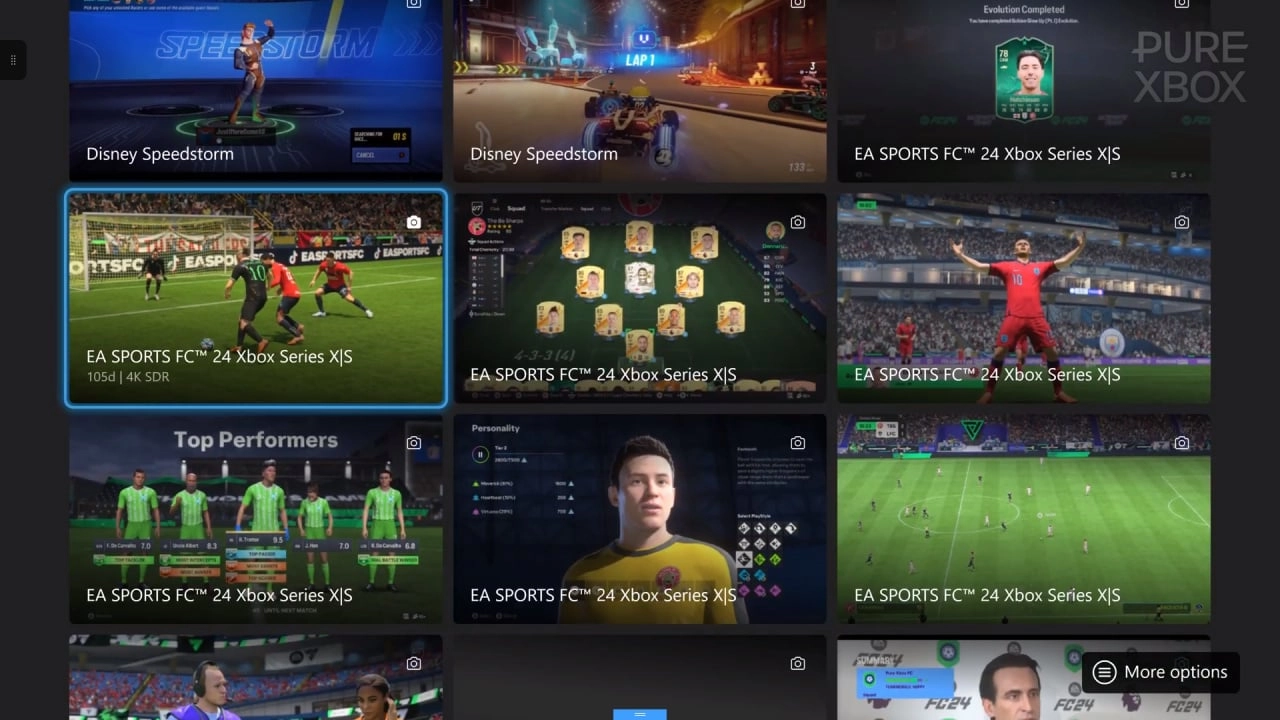
In the world of gaming, capturing epic moments, breathtaking landscapes, and personal achievements is as much a part of the experience as playing the game itself. Xbox gamers have long enjoyed the ability to take screenshots and record clips of their favorite gaming moments to relive and share with friends and the wider Xbox community. However, a significant change is on the horizon for those who use the Xbox Network to store these precious gaming memories.
Earlier, Microsoft had announced that starting January 2024, the Xbox Network would implement a new policy: any screenshots and clips uploaded by users would be automatically deleted if they are more than 90 days old. This change is part of Microsoft’s broader effort to manage the growing volume of content on its servers. It is important to remember that this process will begin as early as the second week of January, precisely on the 9th.
For Xbox gamers who treasure their collected moments, this news might bring a sense of urgency. If you have captures that hold sentimental value or simply capture a gaming feat you're proud of, it's critical to ensure that these are not lost forever in the digital void. Fortunately, Microsoft provides ways to back up your content, either to an external storage device or to the cloud via Microsoft OneDrive.
Backing up to an external storage device is straightforward. To do this, you'll need a USB 3.0 device that's formatted to NTFS, which is compatible with the Xbox for this purpose. Note that if your USB device is formatted for storing Xbox games, it won't work for this backup process. Once you have the appropriate device, plug it into your Xbox, navigate to "My Captures," select "Manage," choose the captures you want to save, and finally, pick the option "Copy to external storage." With these steps, your cherished gaming memories can be securely stored and easily accessed from your external device.
Alternatively, you may opt to back up your captures to Microsoft OneDrive. The process is quite similar to using an external device — go to "My Captures," select "Manage," mark the ones you'd like to preserve, and choose "Upload to OneDrive." However, it's crucial to keep in mind that if you're using a free OneDrive account, there is a limit to the amount of space available. Once you hit that limit, you'll have to manage your space or potentially upgrade your OneDrive subscription for additional storage.
Beyond these immediate backup measures, there’s also a method to ensure your future captures are automatically saved to either an external drive or to OneDrive. This setting is found within the Xbox settings menu, conveniently placed under the "Manage" section. Setting this up can provide peace of mind, as you wouldn't have to manually back up each time you make new captures.
While Xbox assures automatic cloud backup of game captures is a beneficial feature to keep your online storage clutter-free, the idea of losing personal data might not sit well with everyone. There have been instances where local captures have been deleted, which underscores the importance of regularly backing up any captures you wouldn't want to lose — even those not subjected to the new 90-day policy.
This measure isn't isolated to the Xbox Network. Many digital platforms periodically review and update their content policies to reflect changing storage demands and user activities. It serves as a reminder that while cloud services offer convenience, they are not infallible archives of our digital lives. Therefore, backing up important data, whether game captures or personal files, is a best practice for anyone using these services.
For avid Xbox gamers, screenshots and video clips often serve as personal trophies and reminders of fun times with friends or personal gaming milestones. With the policy implementation now upon us, now is the time to take action and secure these digital memories. The process may seem a bit of a chore, but it is a small price to pay to keep your treasured captures safe and under your control for years to come. After all, you never know when you'll want to look back and remember that unbelievable game-winning shot or the moment you finally conquered the hardest boss.

You must be logged in to post a comment!