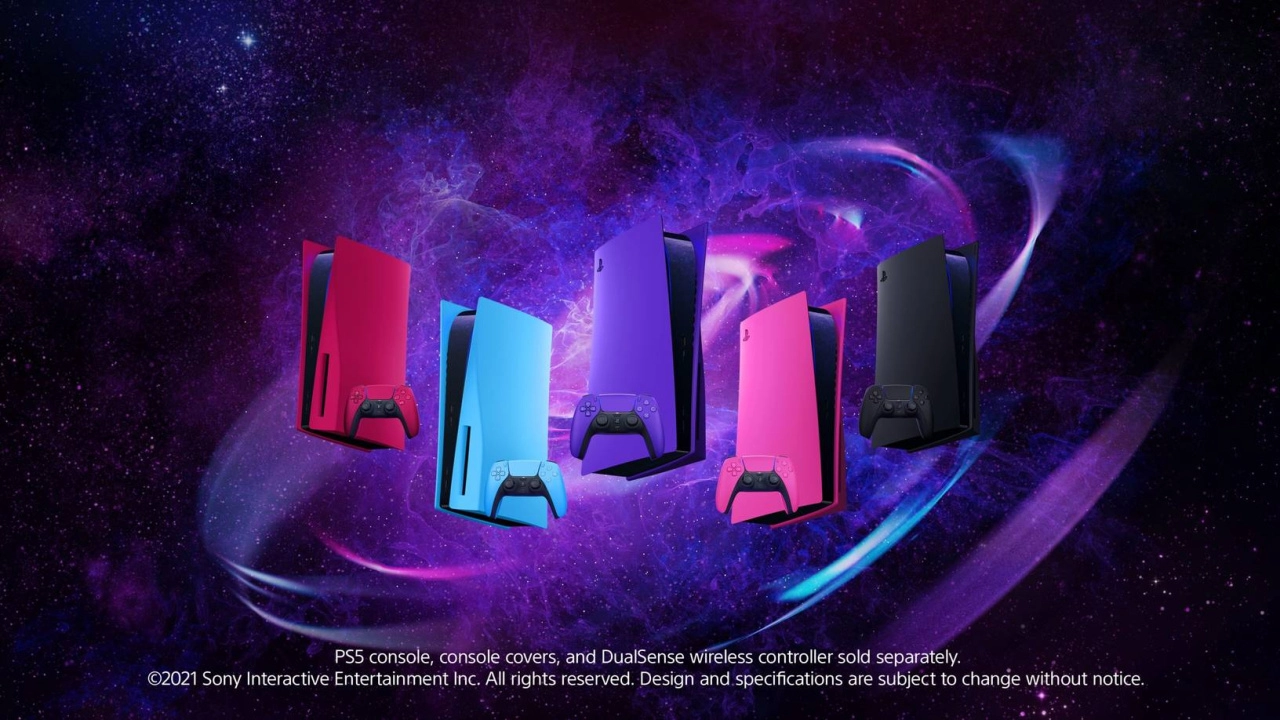
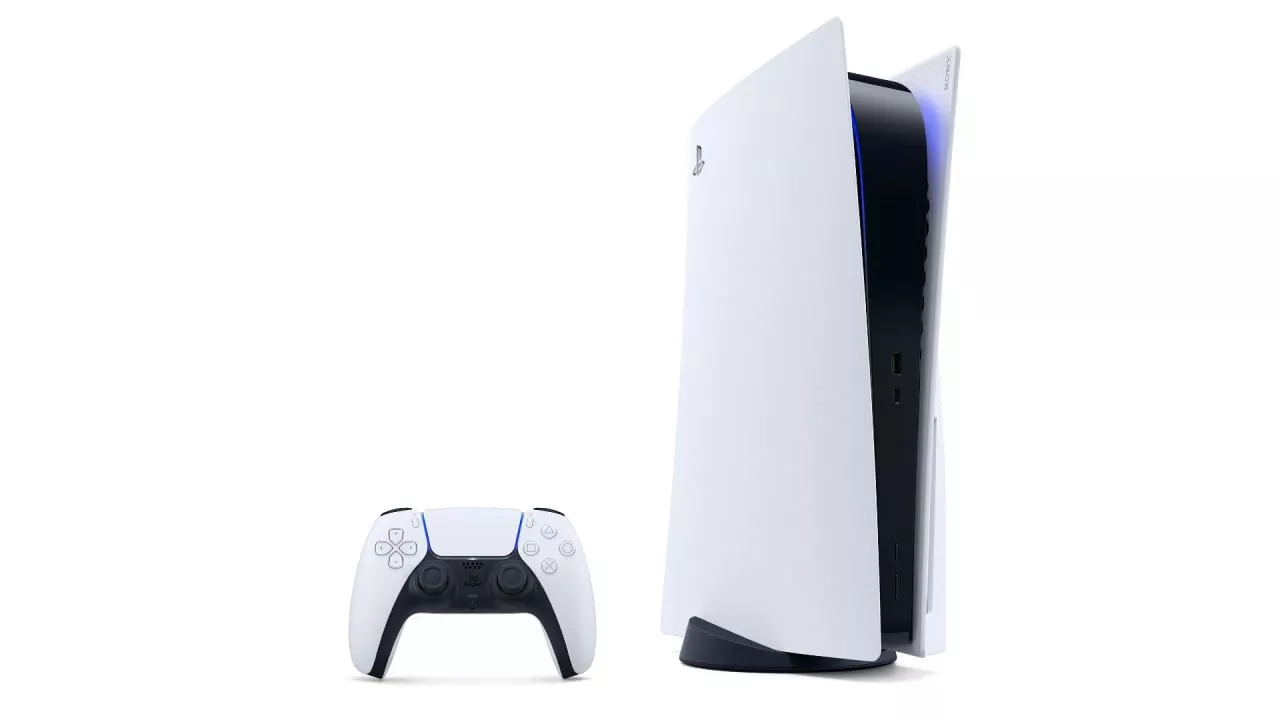
The PlayStation 5 (PS5) console initially launched with a striking white cover that quickly became its signature look. However, as the demand for personalization and customization in gaming hardware grows, Sony has expanded the color palette for its PS5 covers. This allows gamers to not only modify the appearance of their consoles but also match them with their room decor or personal style. The different cover colors also come with corresponding DualSense controllers, providing a complete and cohesive aesthetic upgrade.
### PS5 Console Cover Colors
**1. Original White**
The classic white cover is what every PS5 initially comes with. It offers a clean and minimalist look, and while some users prefer to stick to the original, others see it as a blank canvas ready for customization.
**2. Midnight Black**
This color offers a sleek and sophisticated alternative, echoing the traditional gaming console colors. Midnight Black is perfect for those who prefer a more understated or professional appearance for their gaming setup.
**3. Cosmic Red**
Cosmic Red stands out with its vibrant and deep red hue, injecting a bold dash of personality. This cover appeals particularly to those who want their console to be an eye-catching element of their entertainment center.
**4. Nova Pink**
Bright, daring, and unabashedly fun, the Nova Pink cover is for gamers who like to make a statement. This shade transforms the PS5 into a standout piece, impossible to overlook.
**5. Starlight Blue**
Reminiscent of a clear daytime sky, Starlight Blue offers a refreshing and calming color choice. It’s bright enough to be noticed, yet subtle enough to blend seamlessly into a variety of interior designs.
**6. Galactic Purple**
As one of the most unique options, Galactic Purple has a mysterious and appealing allure. It’s tailor-made for those who desire something different and distinctive from the conventional console colors.
**7. Chroma Indigo, Pearl, and Teal**
Part of a special 'Chroma' range, these colors add a futuristic touch. Each one is designed with a blend of shades that changes under different lighting conditions. Indigo exudes a deep blue, Pearl offers an iridescent finish, and Teal gives off a metallic sheen.
### How to Purchase PS5 Console Covers
Purchasing a new PS5 console cover is straightforward and can be done through various retailers, including both online and physical stores. Major gaming stores typically stock these covers, and they're also available directly from PlayStation's official website. Occasionally, you can find them at discount rates or bundled with other PlayStation accessories, offering a bit more value for your money.
### Changing Your PS5 Cover
Swapping out the PS5 cover is a simple process:
1. Power down your PS5 and unplug all cables.
2. Position the console so the PlayStation logo is face down.
3. Gently lift the upper left corner (where the logo is located) of the cover, and slide it off.
4. Attach the new cover by aligning it at an angle and sliding it into place until it clicks.
5. Repeat for the other side.
This easy customization does not void your warranty as Sony has designed these covers to be user-replaceable.
### Matching DualSense Controllers
For each of the console cover colors available, Sony offers a matching DualSense controller. This allows players to synchronize the look of their gaming setup, resulting in a more visually appealing configuration. Whether you opt for the fiery Cosmic Red or the deep Galactic Purple, you can get a DualSense with the same color treatment.
Sony's initiative to offer personalized console covers is a response to the growing trend of personalization in technology. By providing a range of options, Sony ensures that the PS5 can appeal to a wider audience, from gamers who prefer classic styles to those who enjoy vibrant and unique aesthetics. This variety not only enhances the visual appeal of the PS5 but also allows gamers to express their personalities through their choice of console color. These colorful and easy-to-swap covers have undoubtedly added an extra layer of enjoyment to the gaming experience on PlayStation 5.

You must be logged in to post a comment!